
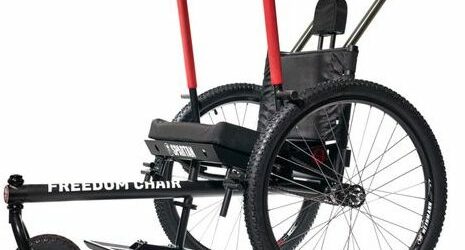
Many individuals with mobility challenges are unable to maneuver on different types of terrain. Over the years, it’s been encouraging to see the different types of products being developed for said individuals. The Grit Freedom Chair is one such groundbreaking invention that has redefined the meaning of mobility, providing an unparalleled sense of freedom and […]
Posts with the Easterseals Crossroads tag

AM565 Ramble Tag Metro
Podcast: Play in new window | Download Hey there! Welcome to Accessibility Minute, your weekly look at Assistive Technology, those clever tools and devices designed to help people who have difficulties with vision, mobility, hearing, or other special needs! In the bustling landscape of urban living, accessibility and inclusivity in public transportation are paramount. As […]
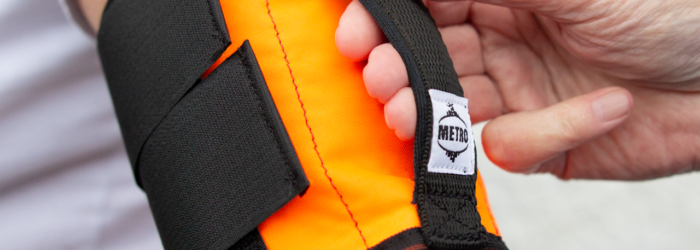
Ramble Tag Metro: A Revolutionary Approach to Mobility
In the bustling landscape of urban living, accessibility and inclusivity in public transportation are paramount. As cities evolve, so do the tools designed to enhance the daily lives of individuals with diverse mobility needs. One such innovation making waves in the realm of urban mobility is the Ramble Tag Metro. The Ramble Tag Metro is […]

A Journey Through the Enchanting World of Magic Kids App
In today’s digital age, children are growing up surrounded by technology, and finding ways to engage and educate them in a meaningful and entertaining manner is a challenge for parents and educators alike. Enter the enchanting world of the Magic Kids App, a revolutionary platform designed to captivate young minds and foster learning through the […]

Read with Ello app
If you’re searching for an app to help improve your child’s reading skills, check out Read with Ello. Reading with Ello helps kids improve their reading skills by using interactive books and an attention-grabbing platform. The app pairs children with grade-level books and is easy to use. One neat feature is it uses speech recognition […]

Monday Tech Tip: RocketPen Reader
During the 2024 ATIA Conference, Madeline Delia at Smart Pens 4U, showed us the RocketPen Reader, which is a portable reading pen that helps individuals with reading difficulties. Check it out here: Click here to learn more about RocketPen.