
During the 2026 ATIA Conference, Kyle Odierno from Crick Software showed us Clicker which is a literacy tool and child-friendly word processor designed to support primary-level learners, particularly those with dyslexia, special education needs, or English as a second language (EAL). Check it out here: Click here to learn more about Clicker.
Posts in the Tech Tips category:
Monday Tech Tip: Braille Sense 6 with DOT Pad
During the 2026 ATIA Conference, Earle Harrison, National Account Manager at Selvas BLV showed us how to use the Braille Sense 7 with DOT Pad. The Braille Sense 6 is a braille notetaker and it can be used with the DOT pad to allow people with visual impairments to experience writings or drawings through touch. […]

Monday Tech Tip: Steadi-3 Anti-Tremor Glove
During the 2026 ATIA Conference, Madison Self from Pisces Healthcare showed us the Steadi-3 Anti-Tremor Glove, which is a hand-stabilizing device. Check it out here: Click here to learn more about Steadi-3 Anti-Tremor Glove.
Monday Tech Tip: Neater Arm Support Zero
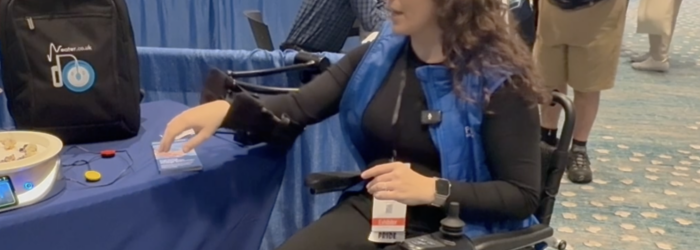
During the 2026 ATIA conference, Madison Self from Pices Healthcare showed us the Neater Arm Support Zero for those who have muscle weakness in their arm. It provides support to do activities at a table or a desk. Check it out here: Click here to learn more about Neater Eater Arm Support Zero.

Monday Tech Tip: Neater Eater Robotic Dining System
During the 2026, ATIA Conference, Madison Self at Pices Healthcare Solutions shows us the Neater Eater Robotic Dining System which is an assistive feeding device. Check it out here: Click here to learn more about the Neater Eater Robotic Dining System.

Monday Tech Tip: How to Create Titles & Heading in Word using JAWS Screen Reader
Jim Rinehart, Assistive Technology Specialist, at Easterseals Crossroads shows us how to create titles and headings in a Word document using JAWS screenreader. Check it out here: Click here to learn more about JAWS.