
As we recognize National Disability Employment Awareness Month (NDEAM) this October, we should note that statistics still show only 22% of people with disabilities are currently employed. As Vice President of Adult Services Brian Norton said: “Many employers still have a tendency to think accommodations for people with disabilities will be expensive and a hardship […]
Posts with the Brian Norton tag
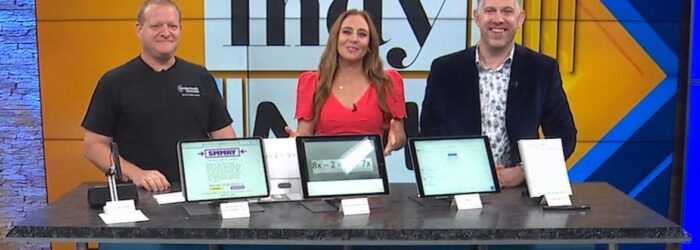
INDATA on TV: School Tools for Fall Semester
School has been back in session for a bit, but students are entering that time when tests become more difficult and more in-depth projects pop up. Fortunately, Vice President of Adult Services Brian Norton has some helpful tools for this time of year. Check out his appearance on Fox 59’s Indy Now for a breakdown […]

Monday Tech Tip: Glean
During the 2024 ATIA Conference, Lee Chambers from Glean showed us Glean which is a note taking tool, which records class and allows you to add notes to create a study resource. Check it out here: Click here to learn more about Glean.

Monday Tech Tip: CECO- Conductive Education
During the 2024 ATIA Conference, Dr. Krisztina Weiszhaupt, from CECO showed us one of the tools they use for their conductive education method for people with neurological motor disabilities to increase physical independence and strength. Check it out here: Click here to learn more about CECO.

INDATA on TV: National Disability Employment Awareness Month
In honor of National Disability Employment Awareness Month, check out this WISH-TV interview with Vice President of Adult Services Brian Norton. [jwplayer mediaid=”77414″] Norton’s testimony serves as an insightful reminder of the value that people with disabilities can add to the workplace — from providing diverse perspectives and reaching new demographics to bringing about accommodations […]

Monday Tech Tip: Tellus i6
During the 2024 ATIA Conference, Kevin Shelton from Shelton Technologies & Resources, showed us the Tellus i6 communication device. Check it out here: Click here to learn more about Tellus i6.