

During the 2024 ATIA Conference, Heather Maydak from Westminster Technologies showed us some Braille products. Check it out here: Click here for more information on Braille products from Westminster Technologies.
Posts with the Brian Norton tag

Monday Tech Tip: MouthPad
During the 2024 ATIA Conference, Corten Singer, Co-Founder, at Augmental shows us the MouthPad, which is a bluetooth mouse that is operated inside of your mouth and controlled with your tongue. Check it out here: Click here to learn more about MouthPad.
SpeakEasy Home Speech Therapy App
Communicating is essential for expressing needs, building relationships, and navigating the world around us. However, for individuals with speech and language disorders, communicating effectively can be rather challenging. This is where the SpeakEasy Home Speech Therapy app can help. SpeakEasy is a groundbreaking app that brings speech therapy directly into the comfort of one’s home. […]

Baby Shark World App
Baby shark do-do-do-do-do-do… The phenomenon of “Baby Shark” has taken the world by storm, captivating children and parents alike with its super catchy tune and adorable characters. Now, fans of the beloved song can dive into a whole new adventure with the Baby Shark World app! The app is full of educational games and interactive […]
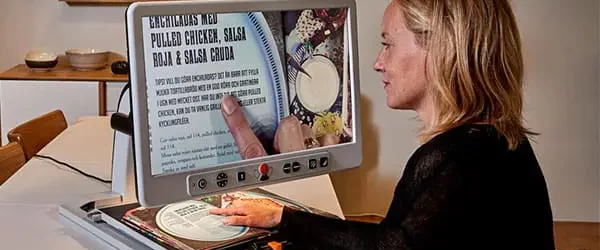
MagniLink Vision Video Magnifier
In today’s world, technology plays a pivotal role in making life easier and more accessible for people of all abilities. One example of this is MagniLink Vision, a revolutionary assistive technology designed to empower individuals with visual impairments. Through its innovative features and user-friendly interface, MagniLink Vision is transforming the way visually impaired individuals interact […]

Monday Tech Tip: MagniLink Vision 27″
During the 2024 ATIA Conference, Kimberly Cline from LVI America showed us the MagniLink Vision 27″, which is a desktop video magnifier. Check it out here: Click here to learn more about the MagniLink Vision 27″.